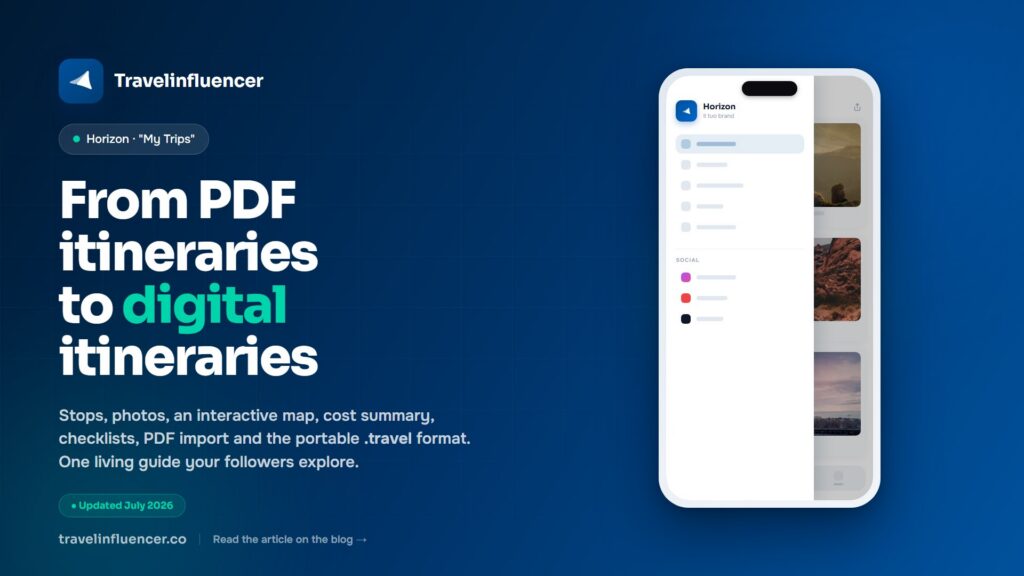
From PDF itineraries to digital itineraries with Horizon

You wrote the guide. You designed it, exported it, shared the link. And now it’s a PDF sitting in someone’s inbox, or buried in a DM, with no way to know if anyone opened it, no way to update it when a price changes, and no way for it to earn you anything.
That’s the limit of the PDF itinerary. It’s finished the moment you hit export. For a travel creator in 2026, a static file is a dead end: it can’t be explored, can’t be updated, can’t carry your affiliate links, and can’t show you what your audience actually did with it.
Horizon replaces the PDF with something alive: a digital itinerary your followers explore directly from your page, your app, or a single shareable link. This is what “My Trips” is, and why it’s built into every plan.
The PDF problem, in one breath
A PDF guide is a beautiful document with a frustrating life. It’s not interactive, so your readers can’t tap a stop, open a map, or check a price. It’s not updatable, so the moment a hotel changes or a flight moves, your guide is already wrong. It’s not trackable, so you never learn what people clicked or booked. And it’s not monetizable on its own: the affiliate links inside a PDF are just text someone has to copy.
The result is the same every time: you pour hours into a guide, it gets downloaded once, and then it disappears.
What a Horizon digital itinerary actually contains
Inside Horizon, an itinerary is a living page built from modules. You assemble it once, and it does far more than any PDF ever could.
- Stops and activities. Build the trip day by day, with each stop, time and activity in order. It’s the skeleton of the guide, but interactive.
- Photos. Attach images to every stop, so the itinerary reads like a story, not a spreadsheet.
- Interactive map. Every stop lives on a map your followers can tap, pan and explore, powered by OpenStreetMap. No more “search this address on Google”.
- Diary and notes. Add context, tips and personal notes to each stop, the way you’d write in a travel journal.
- Cost summary. Track spending by category (stay, transport, food, activities) with a running total, so the trip is transparent and budgetable.
- Important documents. Keep passports, visas, insurance and confirmations attached where they belong.
- Checklist. A packing and to-do list that travels with the itinerary.
- Quick affiliate links. Attach the booking links you choose (flights, hotels, tours, eSIM, insurance) directly to the relevant stop, so every recommendation is one tap from a sale.
- Import PDFs. Drop in a flight confirmation or hotel booking as a PDF and Horizon extracts the data automatically, all processed locally on the device.
That last point matters more than it sounds. Most creators already have confirmations scattered as PDFs in their inbox. Horizon turns that paper trail into structured trip data, without sending anything to a server.
The .travel format: your itinerary, portable
Here’s the part that genuinely changes the game. Every itinerary in Horizon can be exported as a .travel file.
A .travel file is a single, portable package for the whole trip: stops, photos, map, documents, costs and links. You can share it instantly, import it on another device, or move it between instances. Your guides stop being throwaway attachments and become reusable assets you control.
A practical example: you publish a “3 days in Lisbon” itinerary on your page. A follower imports the .travel file into their own app and gets the full interactive guide, with your affiliate links in place. Your content travels with them, and it keeps working after the post is gone.
Why it monetizes (and the PDF doesn’t)
A PDF hides your links in text. A Horizon itinerary puts them where intent is highest: next to the exact stop, the exact hotel, the exact tour. When someone is looking at day two of the trip and taps “book this stay”, that’s your affiliate link firing at the perfect moment.
Because the itinerary is explorable and shareable, it does the selling while you sleep, and it works on any plan. (Want to see it? Try the Horizon demo at https://demo.travelinfluencer.co.)
Mini FAQ
Do I need to know how to code?
No. You build the itinerary from modules in Horizon Studio, no code involved.
Is my data, or my followers’ data, sent anywhere?
Trip data is stored and processed locally on the device. PDF import is processed locally too. The only external call is the map search, which uses OpenStreetMap. Privacy is part of the design.
Can I really import my existing PDF confirmations?
Yes. Flight and hotel PDFs can be imported so Horizon can extract the relevant trip data automatically.
Is the .travel format compatible with other apps?
It’s designed to be portable across Horizon and the ecosystem’s instances. We don’t guarantee compatibility with third-party apps.
Which plan includes it?
“My Trips” and digital itineraries are available in all plans, and they replace PDF guides.
In short
A PDF itinerary is finished the moment you export it. A Horizon itinerary is alive: explorable, updatable, monetizable, and portable as a .travel file your followers can take with them.
If you publish travel guides and they’re still PDFs, this is the upgrade that turns them into something that actually works for your audience and for your income.
Build your app and publish your first digital itinerary Start free.